Groww (Coming Soon)
How to Connect Your Groww Account
Buildalgos.com simplifies algorithmic trading by offering easy integration with multiple brokers, including Groww.
This guide walks you through the steps to connect your Groww account with Buildalgos, enabling you to automate your trading strategies effortlessly.
Step 1: Log in to Your Groww Account
- Go to https://groww.in/ and log in using your Groww credentials.
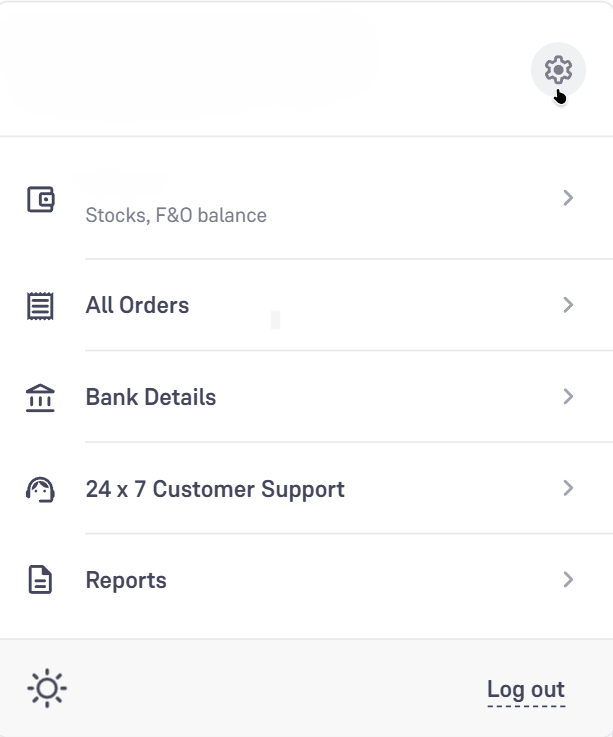
- Click on your profile picture in the top-right corner and select the settings icon.
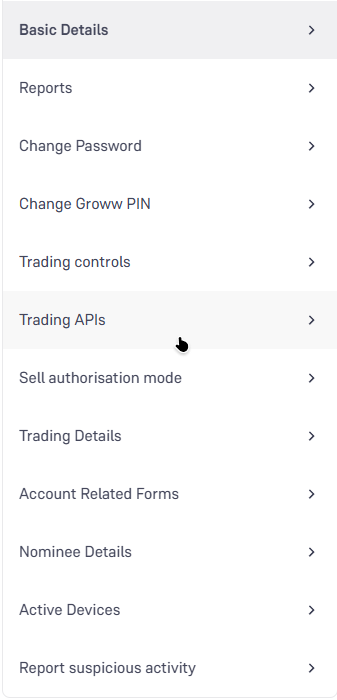
- From the settings menu, select Trading APIs.
- Click on Take me there to access the API management page.
Step 2: Generate an API Key
- Click on the Generate API Key button in the top-right corner.

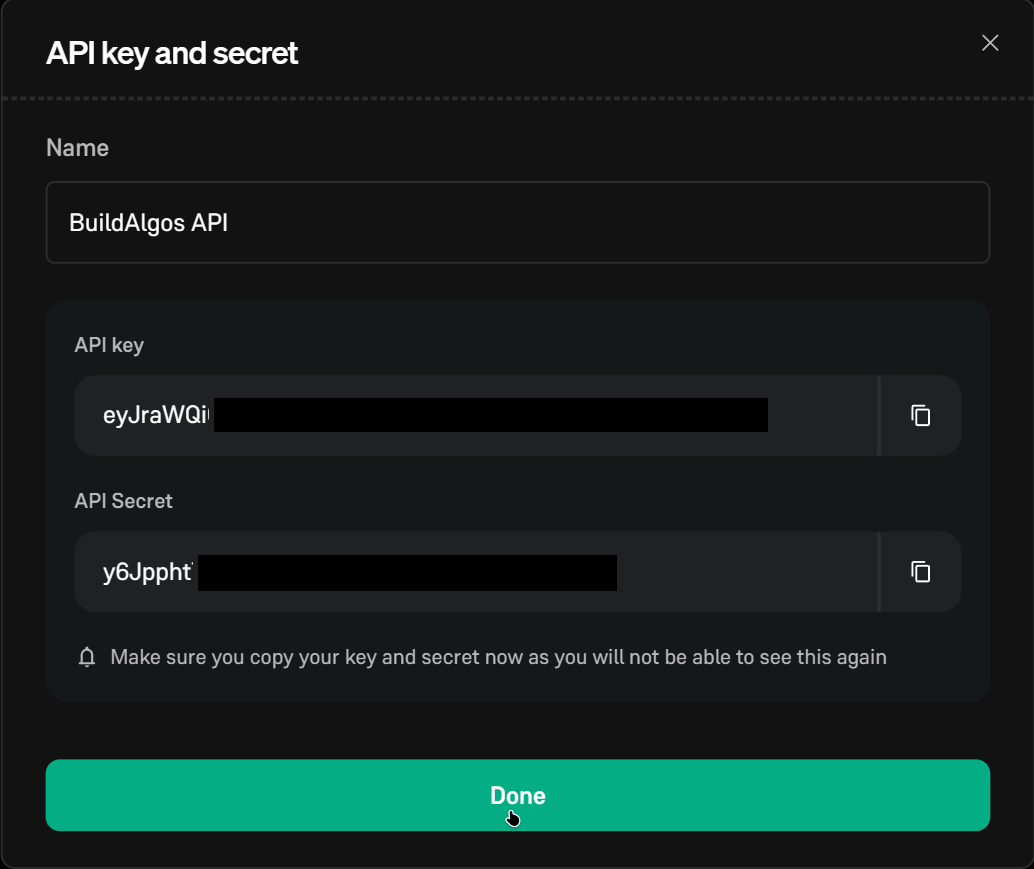
- Enter a name for the API key (for example:
BuildAlgos API). - Click Continue.
Step 3: Save API Credentials
After successful generation, Groww will provide:
- API Key
- API Secret
⚠️ Important: Store these credentials securely. You will need them to connect your Groww account to Buildalgos. For security reasons, the API secret may not be shown again.
Step 4: Add Groww as a Broker
- Navigate to https://buildalgos.com/dashboard/brokers
- Click Add Broker
- Select Groww from the broker list.
Step 5: Enter Broker Credentials
Fill in the required details:
- Account Name → Any display name of your choice
- API Key → API Key generated in Step 3
- API Secret → API Secret generated in Step 3
- Click Add Account
Your Groww account will now be added to Buildalgos.
Step 6: Start Trading
- Once the broker is added, it will appear in your dashboard. Click Login.
- After successful authentication, Buildalgos will display “Logged in successfully”.
- Click the Play icon under the Trade section to start automated trading.
- To pause or stop trading, click the Pause icon.
You’re All Set 🎉
Your Groww account is now successfully connected to Buildalgos. You can begin deploying strategies, monitoring execution, and automating your trades with confidence.
If you face any issues during setup, please refer to Buildalgos support resources or contact the support team for assistance.