Tradejini (Coming Soon)
How To Connect Your Tradejini Account?
Buildalgos.com simplifies algorithmic trading by offering easy integration with multiple brokers, including Tradejini.
This guide walks you through the steps to connect your Tradejini account with Buildalgos, enabling you to automate your trading strategies effortlessly.
Step 1: Login to Your Tradejini Account
- Go to https://api.tradejini.com/developer-portal/app/dashboard and log in with your Tradejini credentials.
- Click on "Create New App" button.
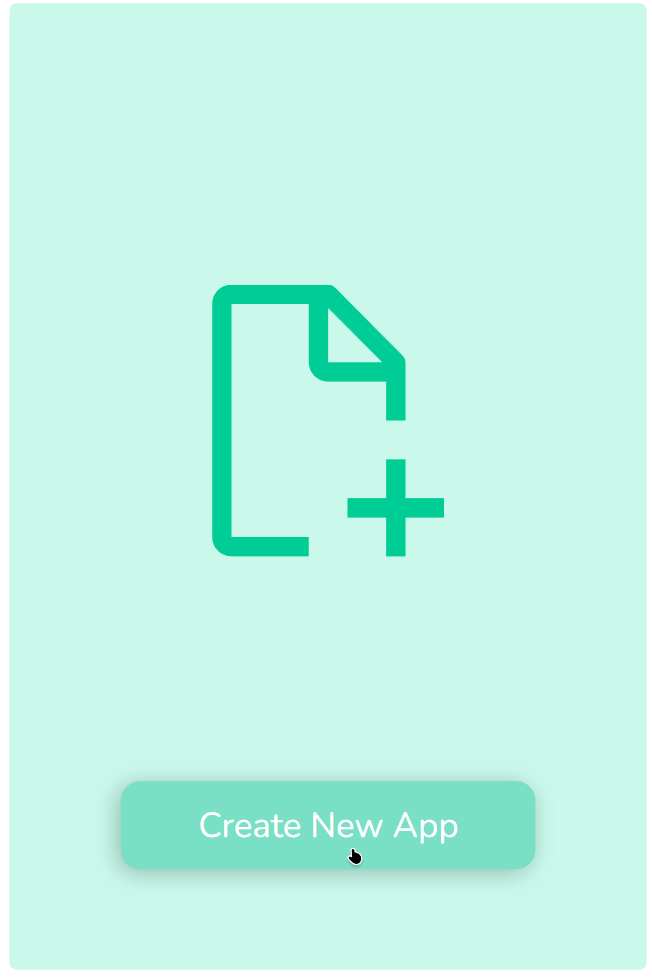
-
On next page, select type as App and enter following details:
- App Name
- Client Code
- Redirect URL
⚠️ Important:
You must use the specific Redirect URL generated by Buildalgos for the integration to work.
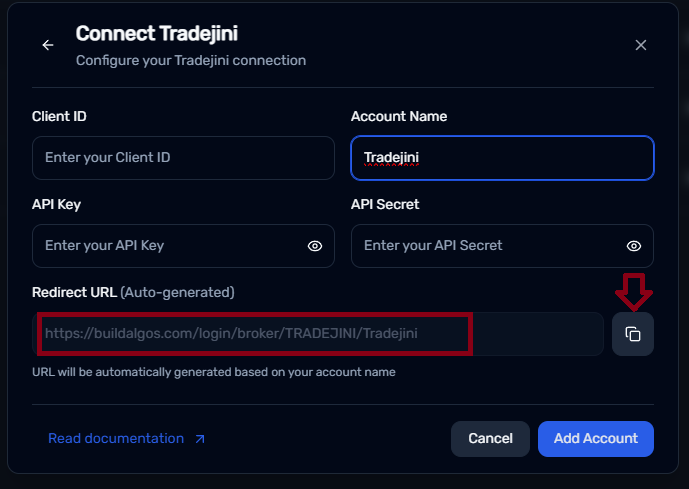
Go to : https://buildalgos.com/dashboard/brokers
Click On "Add Broker".
Select Tradejini from the list.
Once you enter your Account Name, your custom Redirect URL will appear automatically.
Copy this URL and enter it into your Redirect url field.
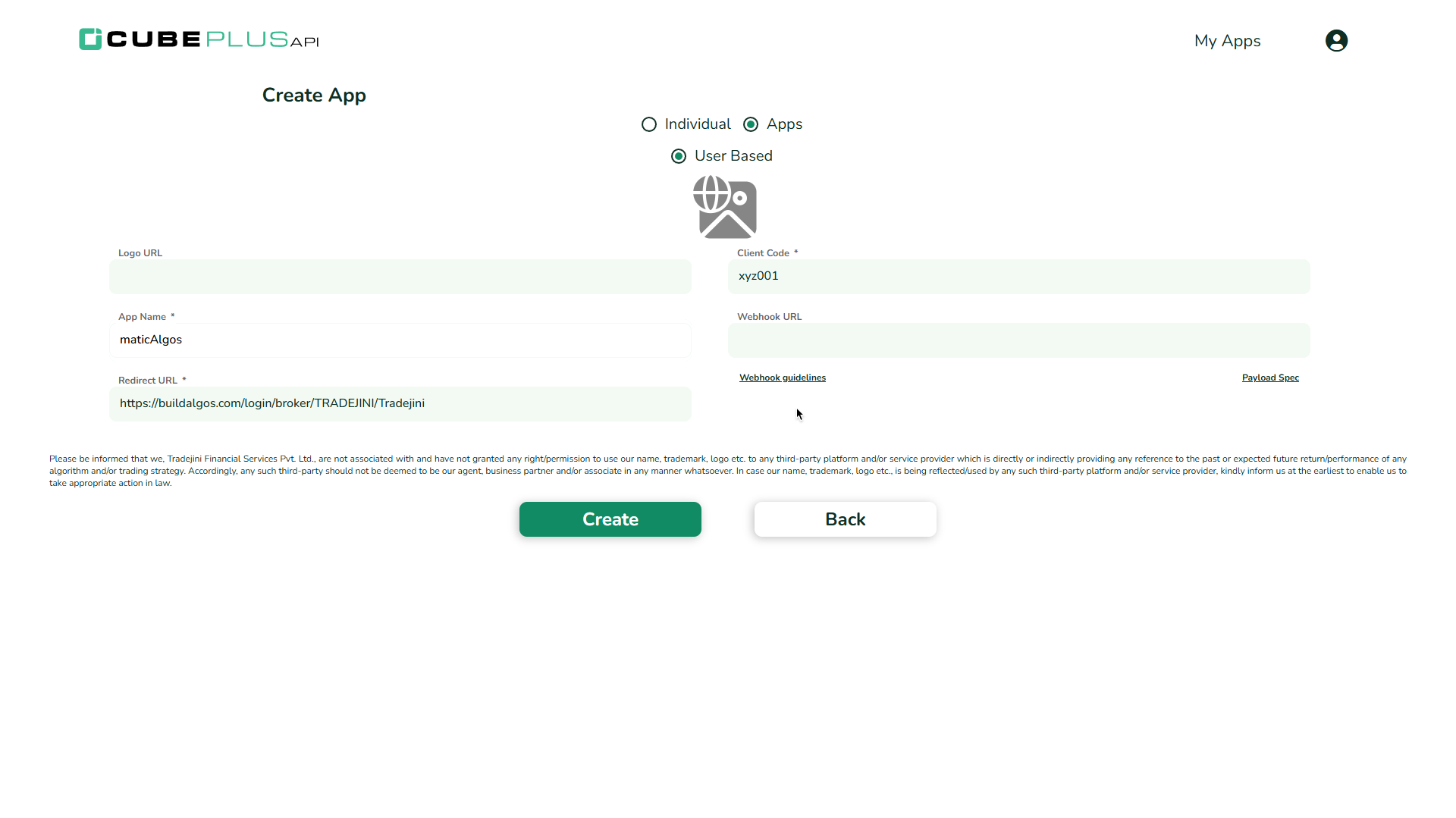
- Click on Create button.
Step 2: Generate API Key
- After registration, you will receive:
- API Key
- API Secret
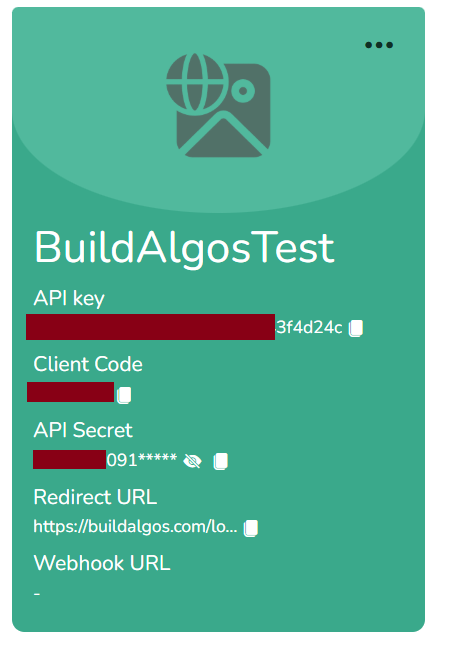
Store these keys securely, you will need these keys to connect your Tradejini account to Buildalgos.
Step 3: Add Broker
- Go to https://buildalgos.com/dashboard/brokers
- Click Add Broker
- Select Tradejini from the list.
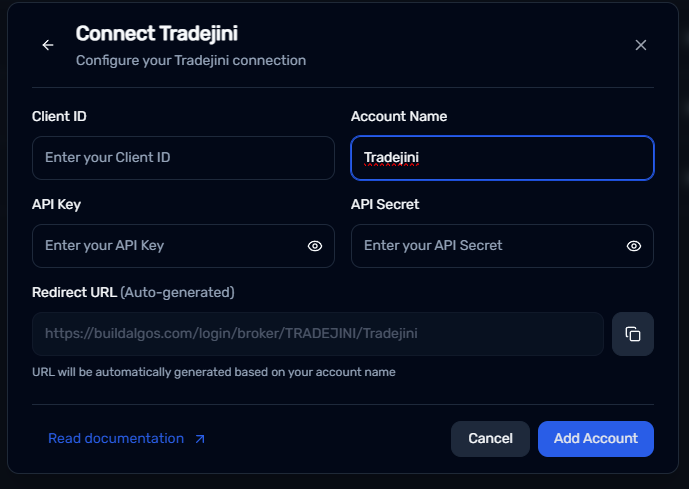
Step 4: Enter Credentials
- Client ID → Your Tradejini account Client ID
- Account Name → Enter the same Account Name that you used while generating the Redirect URL in Step 1.
- API Key → API Key generated in Step 2
- API Secret → API Secret generated in Step 2
- Click Add Account.
Step 5: Start Trading!
- Once your broker is added, it will appear in your dashboard. Click Login.
- You will be redirected to the Tradejini website — enter your login details.
- After successful authentication, Buildalgos will show “Logged In Successfully”.
- To start trading, click the play icon under the Trade column.
- To stop/pause trading, click the pause icon under the Trade column.
- Your Tradejini account is now fully connected to Buildalgos!
By completing the steps in this guide, you've successfully set up your Tradejini account to work with Buildalgos. You're now ready to optimize your strategies and make smarter, data-driven decisions. If you need help or run into any issues, feel free to consult the Buildalgos resources. Happy trading!