Nuvama
How To Connect Your Nuvama Account?
Buildalgos.com simplifies algorithmic trading by offering seamless integration with multiple brokers, including Nuvama. This guide walks you through the complete process of connecting your Nuvama account with Buildalgos so you can automate your trading strategies smoothly and securely.
Step 1: Login to Nuvama API Connect

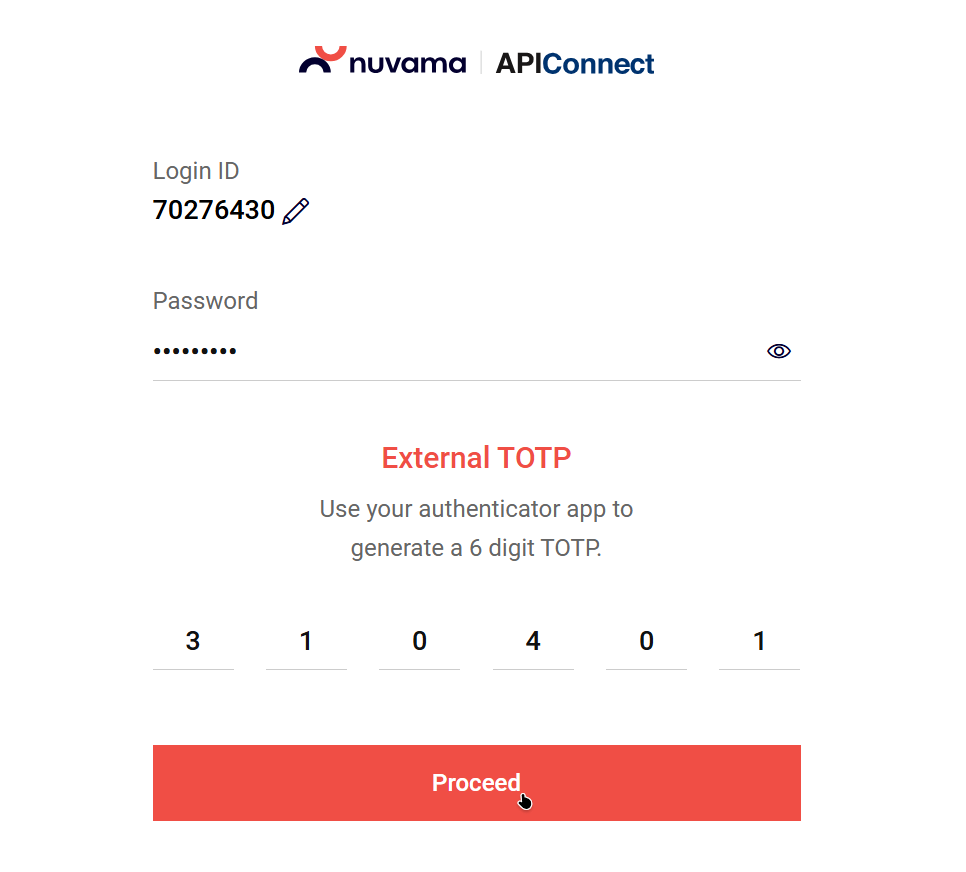
- Visit https://www.nuvamawealth.com/api-connect/
- Click Login in the top-right corner
- Enter your Client ID
- Enter your Password
- Enter your TOTP
- Click Proceed
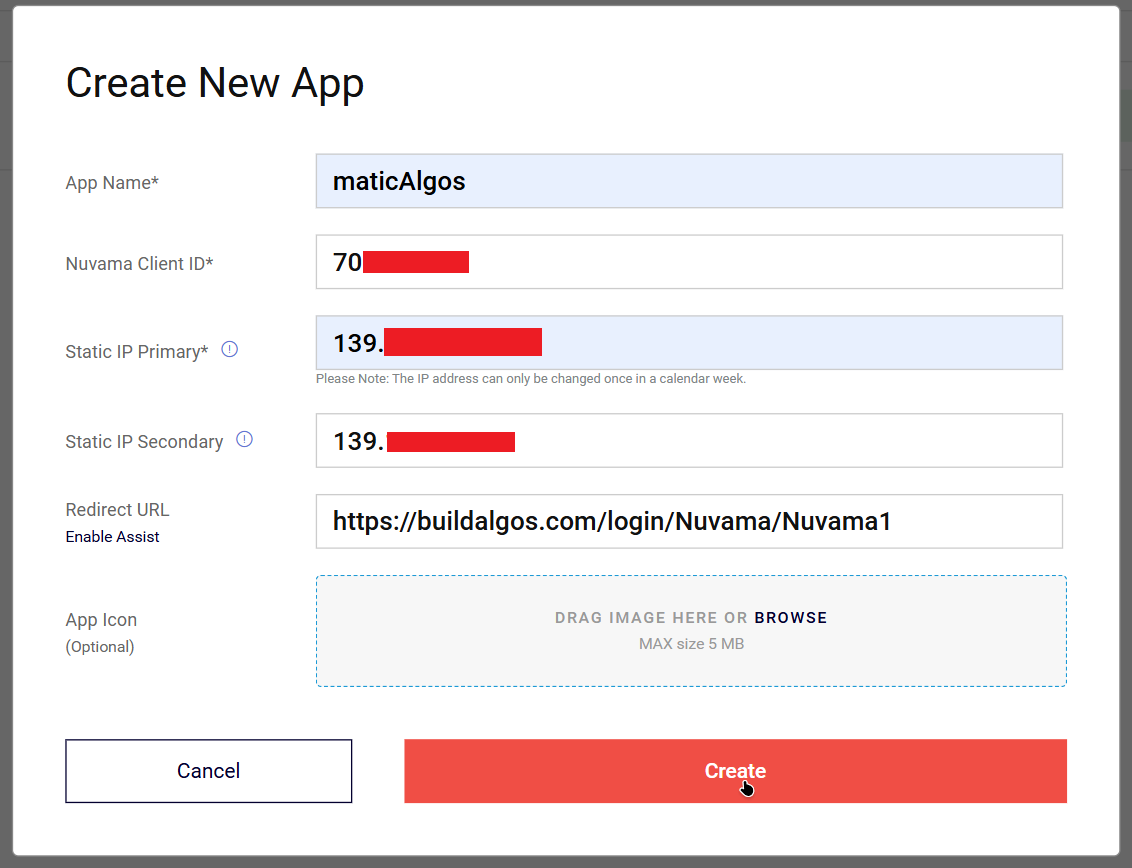
Step 2: Create a New App
-
Click the Create New App button in the top-right corner
-
Under the Create New App section, enter the following details:
- App Name (any name of your choice)
- Nuvama Client ID
- Static IP
- Static IP (Secondary)
- Redirect URL
-
Click Create
Important – Static IP Requirement
SEBI will make Static IP mandatory starting 30th March.
- At present, Static IP validation is not enforced, so you may enter any valid IP address to proceed with app creation. Ex 139.144.5.248
- Once Static IP enforcement is fully implemented, BuildAlgos will provide an official Static IP.
- You can update your app configuration with the provided Static IP later without affecting your trading setup.
Redirect URL (MANDATORY)
⚠️ Important:
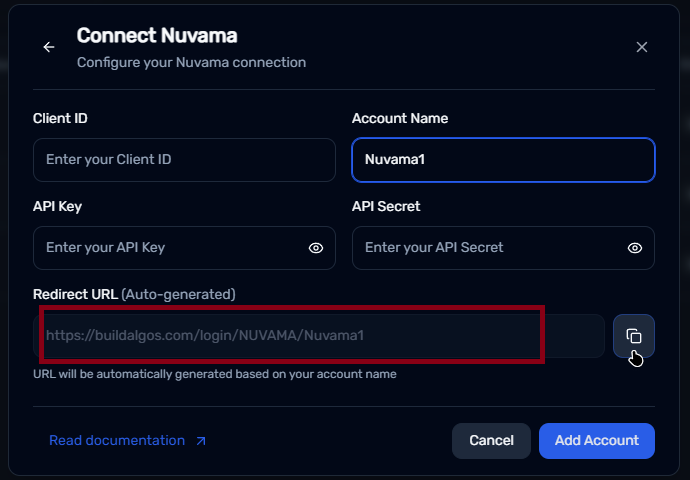
You must use the specific Redirect URL generated by Buildalgos for the integration to work.
Go to : https://buildalgos.com/dashboard/brokers
Click On "Add Broker".
Select Nuvama from the list.
Once you enter your Account Name, your custom Redirect URL will appear automatically.
Copy this URL and enter it into your Redirect url field.

Step 3: Generate API Key and Secret
After successfully creating the app, you will receive:
- API Key
- API Secret
Store these credentials securely. You will need them to connect your Nuvama account to Buildalgos.

Step 4: Add Broker on Buildalgos
- Go to https://buildalgos.com/dashboard/brokers
- Click Add Broker
- Select Nuvama from the list

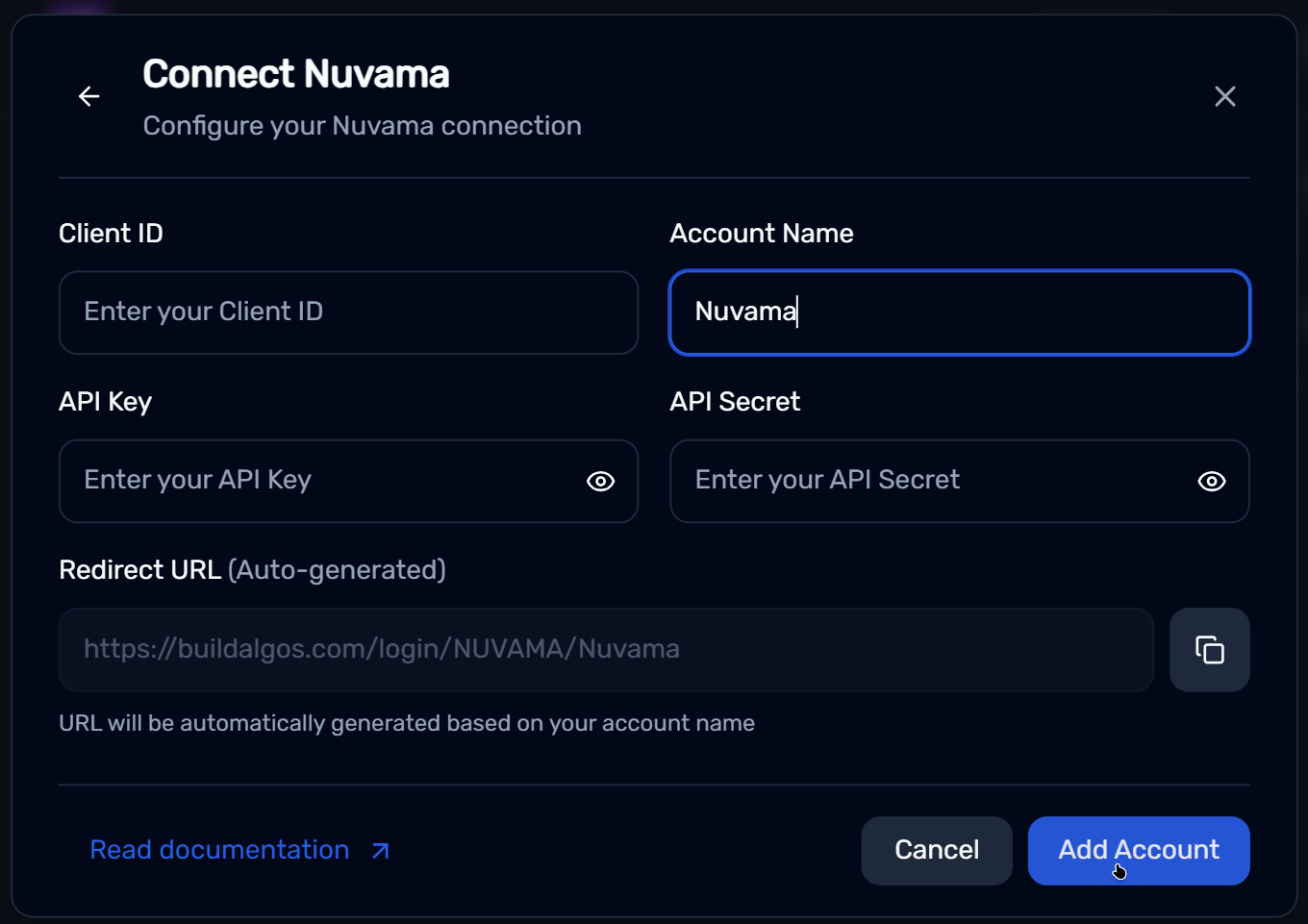
Step 5: Enter Nuvama Account Credentials
- Client ID → Your Nuvama Client ID
- Account Name → The same Account Name used in the Redirect URL
- API Key → API Key generated in Step 3
- API Secret → API Secret generated in Step 3
- Click Add Account
- Ensure that the Auto-generated Redirect URL is same as the one you entered in Step 2.
Step 6: Login & Start Trading
- Once the broker is added, it will appear on your dashboard
- Click Login next to your Nuvama account
- You will be redirected to the Nuvama website — enter your login details
- After successful authentication, Buildalgos will display “Logged In Successfully”
- Click the Play icon to start trading under the Trade column.
- Click the Pause icon to stop or pause trading under the Trade column.
Your Nuvama account is now fully connected to Buildalgos and ready for automated trading.
You’re All Set!
You have successfully connected your Nuvama account with Buildalgos. You can now deploy strategies, monitor trades, and automate execution with confidence.
If you face any issues, please refer to Buildalgos support resources or contact the support team for assistance. Happy trading!