Deploy Strategies
Once your strategy is ready—whether built using the no-code builder or written in code—the next step is deployment.
This is where your strategy transitions from design to execution, running on live or paper trading environments based on real-time market data.
Deploying Strategy
After building and saving your strategy:
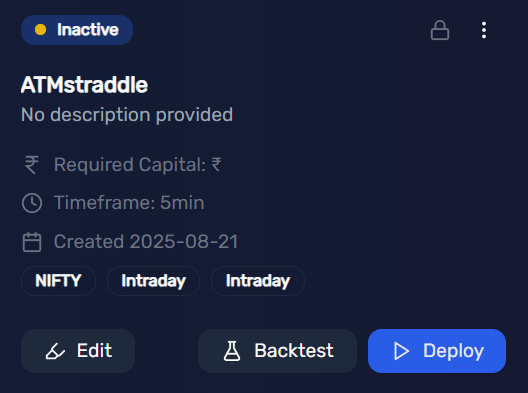
- Navigate to My Strategies under the Strategies menu.
- Find your freshly created strategy and click on Deploy.
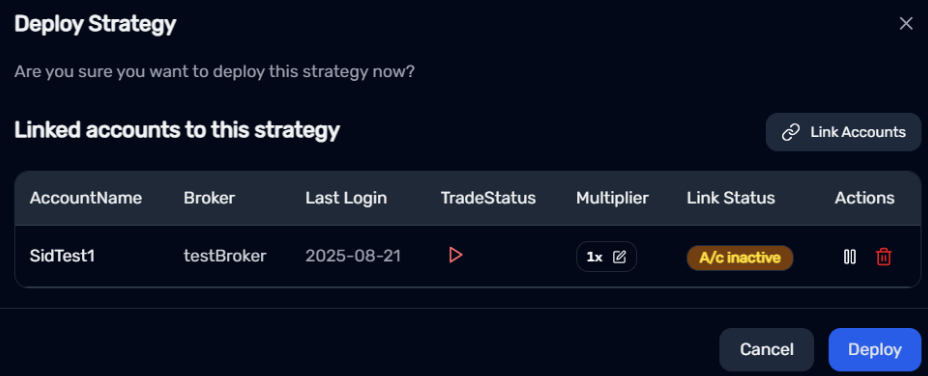
- At this stage, you’ll notice the strategy is not yet linked to any broker accounts.

Linking a Broker Account
To link your strategy with a broker account:
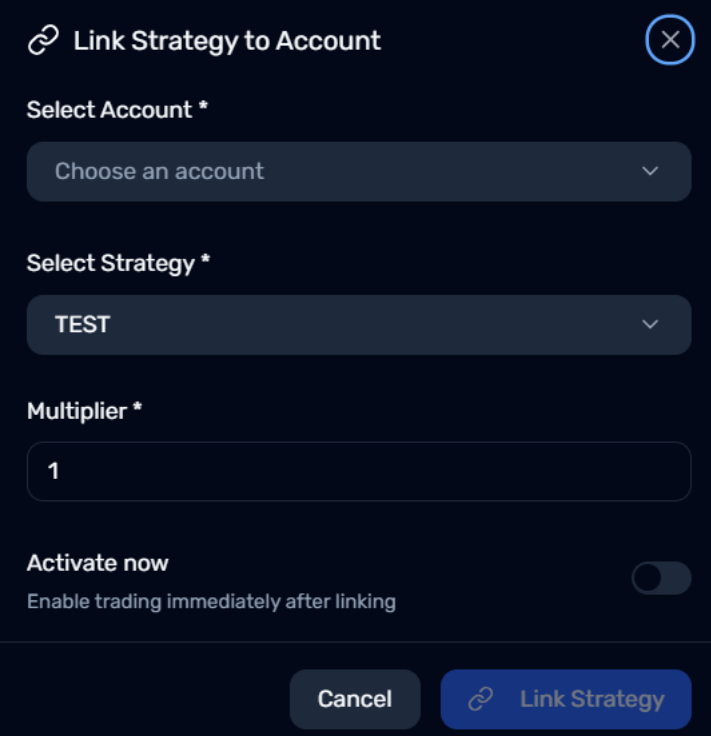
- Click on Link Accounts.
- From the dropdown, select the account you wish to associate with the strategy.
- Confirm that the selected strategy name is correct.
- The multiplier is set to 1 by default, which corresponds to 1 lot.
- Increase the multiplier to any whole number if you wish to scale up your position size (e.g., 2 for 2 lots, 3 for 3 lots, etc.).
- Enable the Activate Now toggle to start the strategy immediately after linking.
- Click Link Strategy to complete the process.
Finalizing Deployment
- You will be redirected to the Deploy Strategy section.
- Click the Play button under the TradeStatus column to enable trading.
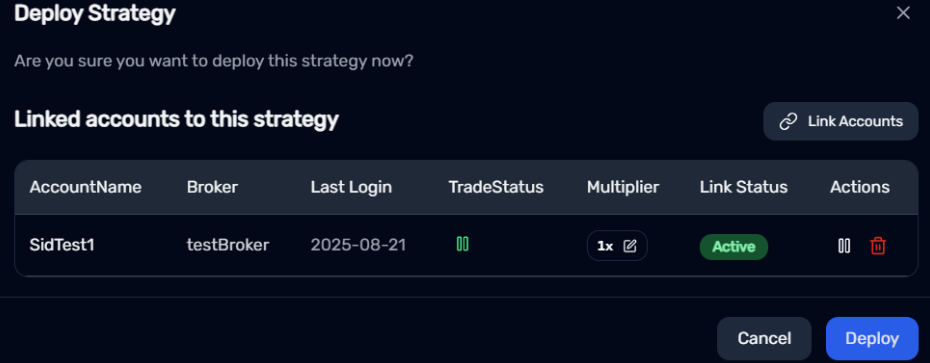
Your broker account is now active and successfully linked to your strategy.
Click on Deploy to initiate live trading.
Monitoring Active Strategies
All active strategies can be tracked in real time via the Monitor section, accessible under the Trading menu.